Well that was interesting!
I tried deleting all 2D objects, did a V & S, no big change in file size.
I tried deleting all path and multiple maps for seam blends, did a V & S, no big change in file size.
I tried deleting all shapes, did a V & S, no big change in file size.
So then I opened the file in Links Extender and looked for any "bloat" in the file parts, and didn't see anything out of the ordinary. I tried saving the course file with Links Extender, and out pops a 76 MB file. I tried to open that file in the APCD and in Links and it wouldn't work; not surprised. I opened the course file where I had deleted all the maps for seam blends in Links Extender, tried saving that file, and out pops a 73MB file. I go back to the APCD and Links to try this course file, and lone and behold, everything seems fine.
I am convinced that the problem started with the "wide" seams blends you did between the rough and the sand dunes. I have never had any luck getting the APCD to map seam blend geometry where there are internal verts and uneven number of verts along the edges.
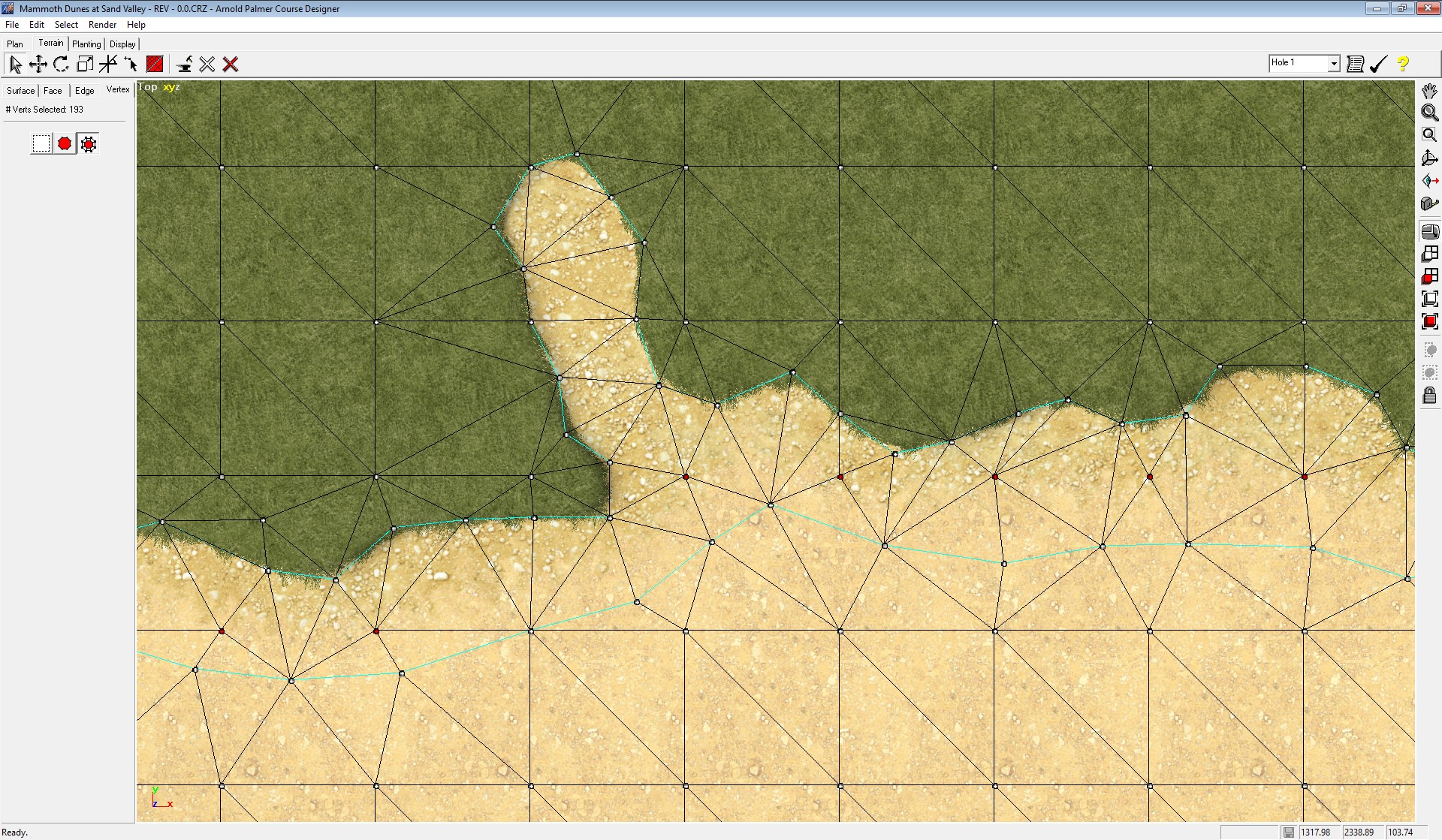
- MD.jpg (740.26 KiB) Viewed 38644 times
My advice would be to stick to using extrusions to create the pairs of aligned verts for a seam blend. That is the only geometry that gives me file stability.
I mapped the right side dune of hole #1 with a couple seam blends to show how I would do it. You likely have 2 options, stick with the bloated 500 MB file that might continue to work, or redo the seam blends differently on the small course file.
https://drive.google.com/drive/folders/ ... sp=sharing




